
The ** SysInternals Suite** is a set of free tools originally created by the company of the same name, later acquired by Microsoft in 2006.
Since 2021, it has been available for free direct installation from the Microsoft Store (Windows Store) and, in corporate environments, is usually accessible via the standard network path \live.sysinternals.comtools.
This package includes more than 70 specialized utilities for diagnostics and maintenance of the Windows operating system.
Although they are often used by IT professionals, we will focus on two key tools that can perform scans comparable (and sometimes superior) to those of a traditional antivirus: procexp64.exe*(Process Explorer*) and autoruns64.exe*(Autoruns*).
Sequence of action against malware:
Step 1: Analysis with Process Explorer
- Run procexp64.exe as administrator (right click > “Run as administrator”)
- Analyze the processes in execution using these key indicators:
| Indicator of Commitment (IoC) | Recommended Action |
|---|---|
| Processes without icon/description | Verify digital signature |
| CPU usage >90% continuous | Compare with VirusTotal |
| Absence of company name | Investigate execution route |
Essential configuration:
- Activate VirusTotal column: Options > VirusTotal.com > Check VirusTotal.com
- Add Verified Signer column: Options > Verify Image Signatures
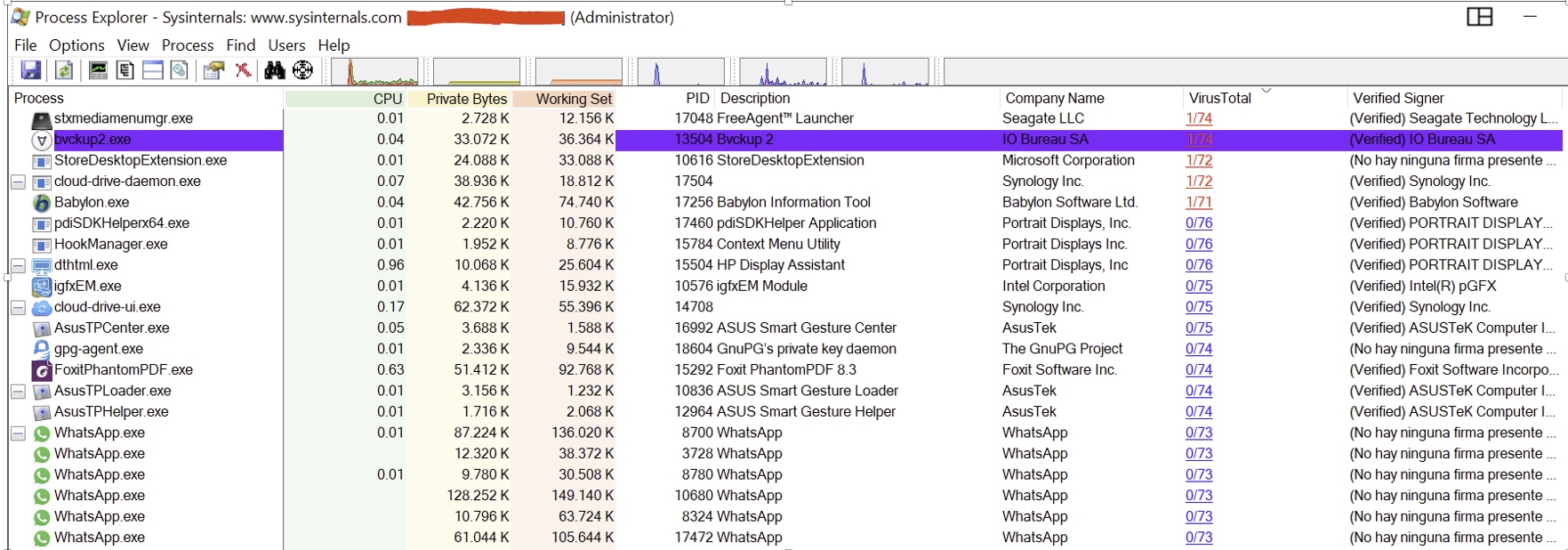 Process visualization with the Process Explorer tool
Interpretation of results: A VirusTotal result of 1/74 (1 detection among 74 engines) is usually false positive.
Immediate action is recommended when:
- 2-5 detections: In-depth investigation
- 6-10 detections: Mandatory quarantine
- 10+ detections: Immediate removal
Step 2: Malware persistence
If the process in which the malware is hosted is automatically reactivated every time we start Windows:
- Run autoruns64.exe as administrator
- Locate suspicious input in common tabs:
- Logon (automatic startups)
- Services (hidden services)
- Scheduled Tasks
- Uncheck the corresponding checkbox (do not delete yet)
- Restart the computer and manually delete the file
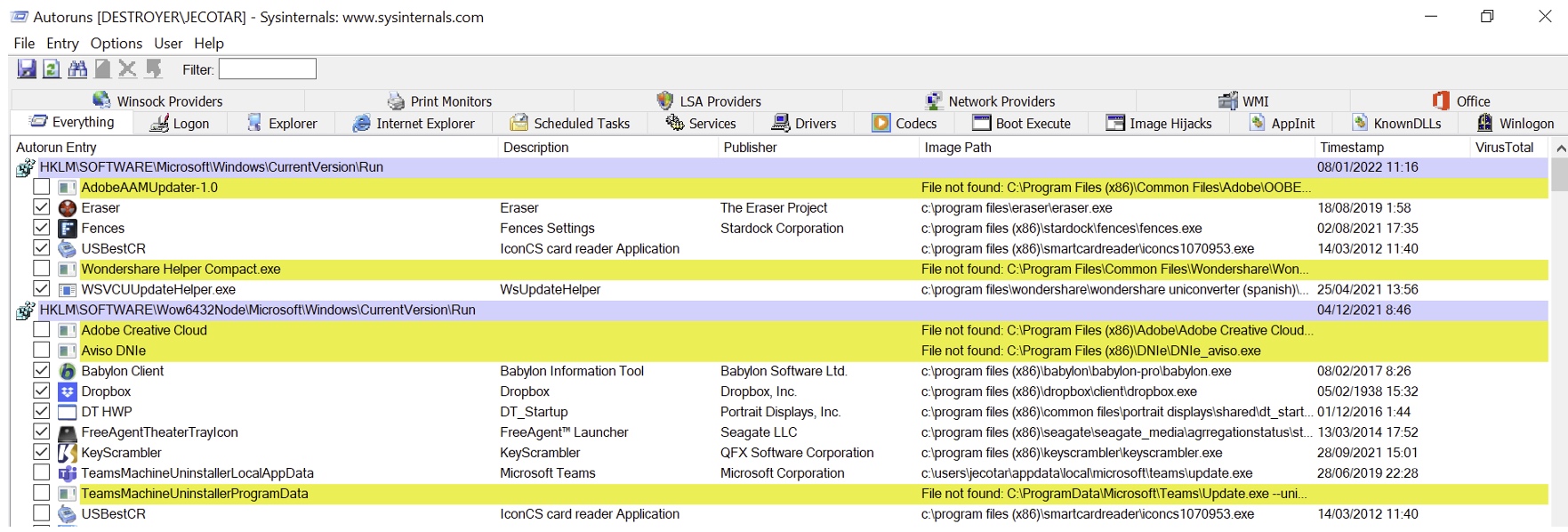 Disable in Autoruns applications that we do not want to be started with Windows
Extreme case: If it persists after restart:
- Boot in Safe Mode (press F8 during startup)
- Search file in critical locations:
C:WindowsTempC:UsersAppDataLocalTemp
- Rename file (e.g. “virus.exe” → “virus.old”) before deletion
Pro tip: Always keep a copy of SysInternals Tools on a USB stick. In 2017, the WannaCry ransomware was disabled by researchers using precisely Process Explorer to locate its “tasksche.exe” process.Preventive Security Reflection: A targeted malware attack*(Advanced Persistent Threat “APT”*) typically includes:
- Obfuscation (code obfuscation)
- Encryption (dynamic encryption)
- AV-Specific Evasion (specific evasion for your antivirus -they are supposed to know which one you use-)
Real-life example: In 2021, hackers from the DarkSide group created customized versions of malware that only activated their payload if they detected Kaspersky products on the system. Remember the logic bombs we explained in a previous article?
For this reason:
- Avoid publishing your security software, operating system and hardware (antivirus, router make and model, password manager, etc.) on social networks.
- Consider using generic names such as “PC Protection” instead of trademarks.
Note on false positives: SysInternals tools may show legitimate processes as suspicious.
Always check:
- Digital signature of the file (if digitally signed, perfect)
- Reputation in VirusTotal
- Execution path (does it match the official software path?)
Cyber trick for novice users
If the process has a strange name such as “svch0st.exe” (instead of the legitimate “svchost.exe”), this is an immediate alarm signal.
…
Finally, remember an essential principle of cybersecurity: the less information we provide to potential attackers about the defensive tools we employ, the more difficult it will be for them to carry out successful targeted attacks.
Are you ready to take the next step and become a proactive user in protecting your digital information?
Get started today by exploring the SysInternals Suite in depth and let me know how it went for you!