
This article was automatically translated by an AI tool from the original Spanish version, and may contain errors.
We already covered in Social Engineering: tailgating, baiting and pretexting and Scareware, shoulder surfing, dumpster diving and phishing that the most effective attack does not need to burrow into your software: it exploits the person. And, as a matter of fact, it probably does not need to target you at all. The truth is duller and far more common: your most precious personal data ends up exposed on the Internet not because of you, but because of someone else.
When a bank, a social network or an online store suffers a breach, your credentials are leaked and you have no way to prevent it. These breaches at companies are happening more and more often, which makes it practically inevitable that, sooner or later, you will be affected by one of them. The problem is what the attacker does next: take over your account, impersonate you, drain your bank or take out a loan in your name.
Can the victim do anything about it? In large part, no: the damage is already done. But we can prevent that damage from turning into the theft of your accounts, and for that there is one and only one measure that truly works: making the attacker have to possess more than just your username and password — something additional that only you physically hold in your hands. That measure has a name, and it is called multi-factor authentication.
What is MFA, and why a password is not enough
Multi-factor authentication — in English, Multi-Factor Authentication or MFA — is a security technology that requires multiple methods of authentication to verify your identity, whether you are logging in or validating a transaction. Using only a username and a password is a single factor; using two is two-factor (2FA); using three is MFA.
These multiple factors are built on three complementary categories:
- Something you know: for instance, a password.
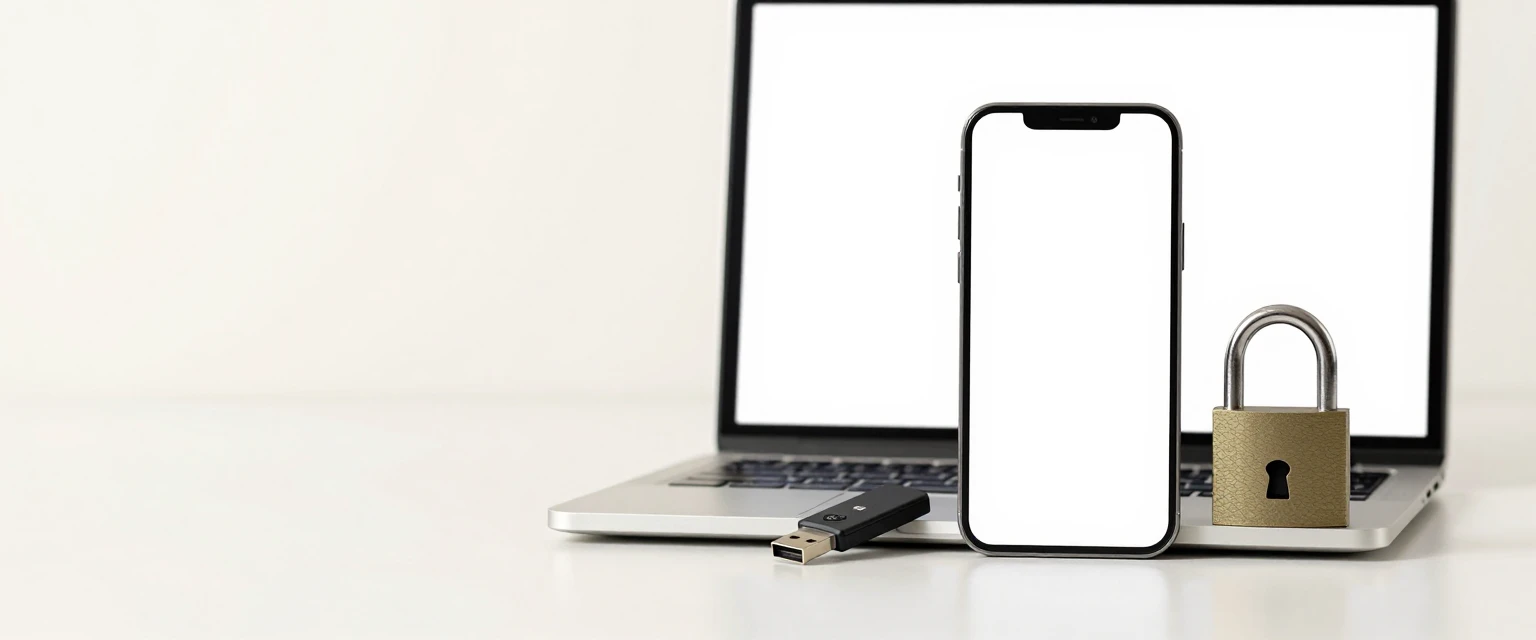
- Something you possess: a phone, a PKI card, a USB key like a YubiKey.
- Something you are: a biometric trait — a fingerprint, your iris, your face.
Using the password as the only factor leaves systems and devices exposed to cyberattacks — brute force, password guessing, dictionaries, phishing, malware. In short, relying only on a password is a bad practice. And it is not enough for the service to swear and promise that it does not store your passwords: you must be vigilant and never enter your credentials on unknown sites, no matter how hard they promise it is just a strength check.
The solution is to combine two or more independent factors, so that an attack on one does not compromise the others.
2FA in practice: and why Google got fed up
While most users do not bother enabling 2FA even when it is offered, Google decided — in October 2021 — that anyone who wanted to keep using its services had to enable two-step verification, unilaterally. In other words, Google must have thought: “If you do not want to protect your account voluntarily, from now on you will have to, like it or not.” I frankly consider it a brilliant decision that I hope the rest of the companies will copy.
How does it work, in practice? When you use 2FA to log into, say, the Facebook app, you enter your username (which is usually the email you registered with) and your password — that is the “something you know.” Then the system asks for a second factor to complete the login. It might be a SMS to your phone with a code you will have to type in, or an authenticator app — Google Authenticator, Authy, Microsoft Authenticator — that generates a six-digit code that changes every 30 seconds.
This code is generated via a standard called TOTP (Time-based One Time Password, “one-time password based on time”). And here is the crucial point: always use an authenticator app before SMS, when it is possible.
And why SMS does not cut it
Before moving on, it is worth warning you about the limits of SMS codes. SMS has two structural flaws.
The first is SIM swapping: from the English Subscriber Identity Module Swapping — a technique I explain in another chapter, but which in essence means the attacker bribes or socially engineers your carrier’s employees into rerouting the SMS and calls destined for your number to one they control. In that situation, a second factor based on SMS stops being safe: the attacker receives all the verification codes that were going to you, while your line and your data service seem to be working perfectly fine.
The second problem is even more insidious. In 2018, a researcher known as Lucky225 demonstrated that, using an online SMS-relay service like Sakari, it was enough to enter a phone number as if it were yours — without the site verifying you owned it — to start receiving the SMS sent to that number, capturing the 2FA codes, while the victim was not even receiving the reset notification. This attack exploits weaknesses in the global SMS network and, in some cases, does not even need to attack the SS7 (Signalling System 7) protocol. Many of these companies have since taken measures, but you can still socially engineer your carrier to reroute your SMS to another SIM card today.
That is why my recommendation is firm: do not use your phone number as a second factor. Avoid registering it where the service allows it, and if you already did, remove it before the disaster strikes.
Security keys, passkeys, and passwordless access
Within the same “something you possess” factor there are more options than an app. PKI cards (public key infrastructure) are very common in companies; and physical security keys — YubiKey, Google’s Titan Security Key — usually plug into the USB port of a computer, although they also work over NFC or Bluetooth so you can use them from a phone as well.
This is where we reach a point that many users do not expect: since 2021, Microsoft lets you sign in to all of its services without typing any password. To use it you must set up access via Microsoft Authenticator, or through Windows Hello, a physical key, or a verification code by phone or email. Microsoft had been saying for years that the password battle was already lost — that they were the prime target, weak and reused, and therefore easy to guess — and with this move it eliminates credential-phishing attacks out of the equation while making sign-in simpler. Once you enable “passwordless sign-in”, the password is removed automatically, forever.
Now, someone might ask: does not this go back to being single-factor authentication? We defended MFA at the start — how can one thing now be enough? The answer is that, with this solution, the user must not only have the phone to hand (“something I possess”) but unlock it with biometrics or a PIN (“something I am / know”), and finally open the app to extract the code that only they can see. So, in practice, it comes back to looking like an MFA.
In the same vein are passkeys (multi-device FIDO credential), a standard from the FIDO alliance that uses your mobile device and biometrics to grant access without passwords: for example, binding a passkey to your fingerprint or face makes it virtually impossible for an attacker to sign in without your explicit consent.
But the password has not gone away: it is the foundation of almost everything
Outside of Microsoft and a few other big players, most methods — biometrics, PINs, tokens, OTPs — still depend on a master password. Take the classic example: if in an Apple machine you have set up Touch ID as your only way to authenticate and the biometric fails, you are asked for the password. So in the end, the whole system is only as strong as the password it depends on.
It is no accident. Passwords remain the most affordable and scalable option, which makes them hard to replace: they are the only method with universal compatibility (works on any device, system or version). That is why, in the long run, everything comes back to MFA plus good password hygiene.
The uncomfortable truth: the password is the cornerstone of everything
There is a revealing data point. According to a survey, 91 % of respondents recognised that reusing and using weak passwords was a danger; yet 59 % admitted they would keep doing it because of convenience. It is not realistic to expect that behaviour change overnight.
And that is exactly what the attacker exploits. Hackers do not spend their time guessing your passwords, which would be inefficient: they go to the hacking forums, where billions of leaked, hashed passwords are trading. The procedure has an almost industrial logic:
- They collect millions of leaked hashes.
- Hashes are irreversible functions, so they hash — in turn — millions of passwords they already have in clear text, building a dictionary of hashes — rainbow tables or rainbow tables.
- They check which accounts match that dictionary.
Every account whose password matches is violated in a single blow. This technique always works as long as the service did not hash with a salt or a pepper. But even with salt and pepper, hashes can eventually be broken: the cracker’s success depends on time and processing power. Practically speaking, any password, however complex or long, can be reversed with enough time and compute.
Attackers know this so well that they rent cloud services — AWS or Azure — to spin up dozens of NVIDIA GPUs in parallel, each capable of trying more than 6 million passwords per second. And that capacity will be undersized once quantum computing arrives.
Biometrics are not invulnerable (fingerprint cloning)
In general, biometrics are considered safer than PINs and passwords. But the fingerprint, specifically, has a problem: it is imprinted on almost everything you touch. It turns out that, with a digital SLR camera and a high-fidelity 3D printer, a fingerprint can be cloned and even advanced sensors on recent MacBook Pro models can be fooled.
The Kraken Security Labs team demonstrated this step by step: it is enough to photograph the fingerprint with a modern phone, invert the negative with image software and print that negative on a sheet of acetate with a laser printer (acetate — normally used for cards and templates — prints fine), then apply wood glue over the print and let it dry. The result: a synthetic fingerprint that sensors may accept for authentication.
In other words, you have always been leaving your biometrics all over the place. It is not bulletproof, so do not use it as the only factor to protect high-value accounts — and yes, combine it with a second authentication factor.
There is one less known warning: for years now it has been recommended not to upload photos to social networks where the fingertips are pointing at the camera, for instance the classic “V” sign. If the photo is high-resolution, taken at less than 3 metres, and at least 50 % of the fingerprint is visible, that image is enough to clone it.
What to do, in summary
Without repeating everything we have already seen, here are the highest-impact measures:
- A different password for every service, created robustly: more than 16 characters mixing upper- and lower-case, numbers and symbols. You can start from an easy-to-remember phrase and derive it (acrostic, words joined with symbols) instead of something mnemonic.
- A password manager (Bitwarden, for example), which saves you from having to remember everything.
- Enable 2FA/MFA with an authenticator app, not with SMS, and make a backup of the app before changing phones (use one with cloud sync, like Bitwarden or Authy, where possible).
- Do not reuse OAuth — “sign in with Facebook/Google” — as your main access method, because you are delegating your authentication to an account that, if it falls, cascades.
- Do not write passwords on paper or in unencrypted text files, and do not share them with anyone; if it is unavoidable, over an end-to-end encrypted channel like Signal or Threema.
- Lock the device after a maximum of 10 failed attempts and, on phones, wipe the data if that limit is exceeded: this deters force-brute and physical theft.
- Do not use security questions based on real data; if a service insists on them, answer with invented data that you memorise.
- Periodically check whether your email appears in breaches on sites like haveibeenpwned.com, DeHashed or IntelX, and change the password immediately if it shows up.
The point that is not negotiable
We can change manager, key or app: all of that is better. But the only change that truly protects you once your password has been compromised is demanding a second factor that only you possess. The attacker may have stolen the username and password of thousands of users at once; they cannot — unless they also fool your carrier — steal the phone with the app unlocked, the physical key, or your fingerprint.
That asymmetry is what turns MFA into the only effective response to a breach, and it is the one thing worth understanding before you have to live through the experience of the disaster. The rest of the recommendations improve your security; this one ensures that a stolen password does not — by the mere fact of having been stolen — turn into the theft of your account.
In Do you protect your accounts well? we already covered what to do if one of your passwords has leaked; with this article the circle closes: what happens after a leak, and why a password is no longer enough on its own.